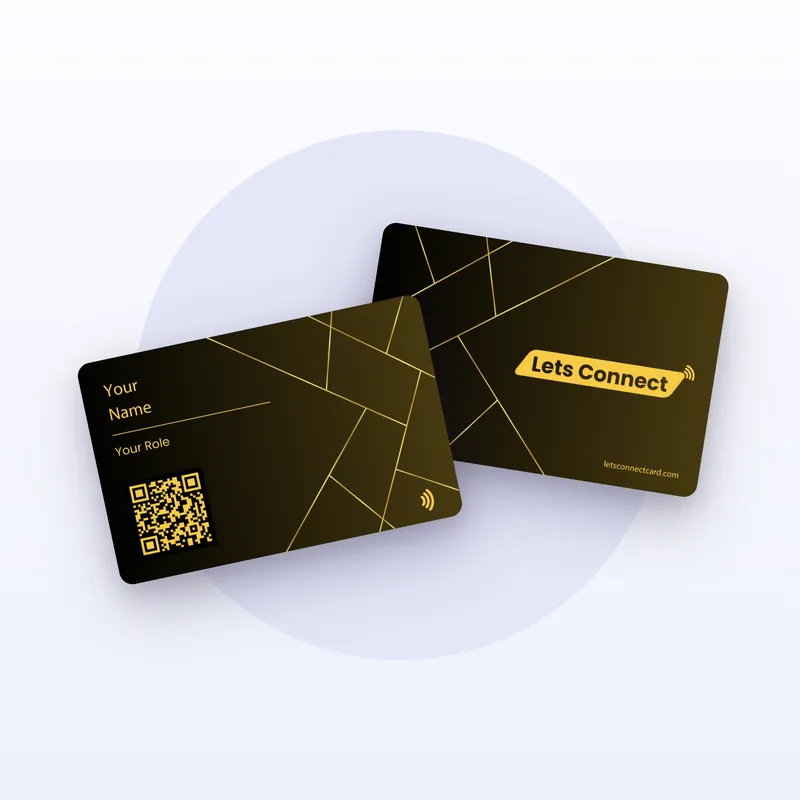
QR Code Business Cards in Australia
QR code business cards for Australia, priced in Australian dollars: a printed card with a dynamic QR code that opens your profile in any phone camera. Your number, email, website and social links open in their browser, ready to save, and you can edit them without reprinting.
Ordering from Australia? Prices on this store are shown in AUD (A$) with regional pricing applied at checkout. Delivery to Australia is arranged at checkout.
QR business cards in Australia: prices, privacy and how people share
Prices
Prices for Australia are in Australian dollars (AUD). A printed QR code business card starts at A$98.00 for PVC with the Brand Presence plan, and the digital-only option starts at A$85.00. Your basket shows the full price before you pay.
See every option and price
The Privacy Act 1988 and the Australian Privacy Principles
A scan opens your profile like any web page: the person scanning sees what you chose to publish, and shares nothing back unless they decide to send it, for example through a contact form on the Business Add-ons plan. What is on your profile is up to you.
When you collect contacts, the Privacy Act 1988 and its Australian Privacy Principles (APPs) set the rules for many organisations, and the regulator is the Office of the Australian Information Commissioner (OAIC). Some small businesses are exempt, but following the APPs is good practice either way: say why you are collecting details, use them only for that and delete them when asked. If someone asks for their details to be removed, delete them from your records; you can also write to privacy@letsconnectcard.com about data we hold. This is general information, not legal advice.
How people share in Australia
Industry association events, conferences and after-work networking are where cards come out. Conversations are informal, and swapping details on a phone is normal.
LinkedIn is the usual next step after a meeting. Put your LinkedIn link near the top of your profile so a scan leads straight to it.
Local questions
- Do I pay in Australian dollars?
- Yes. The Australian store prices every card and plan in Australian dollars, and your basket shows the full price before you pay.
- Is a QR business card compliant with the Australian Privacy Principles?
- The card only shares what you publish. If you capture contacts with Business Add-ons, follow the APPs for that data: give notice, collect only what you need and delete it on request. This is general information, not legal advice.
- Can I link my LinkedIn profile?
- Yes. Add your LinkedIn link to your profile and place it first, so people who scan the card can connect with you in one step.
Order your card
Why switch to a QR code business card
The problem with paper cards
Printed details go out of date the moment you change role, number or website, and every change means a new print run. Most paper cards are typed in by hand, if at all, so contacts get lost between the meeting and the follow-up.
How a QR code business card fixes it
The code on the card points to a profile you control. Update it in your dashboard and every card already handed out shows the new version on the next scan. One button saves your details straight to their phone, so the contact is captured on the spot.
What every physical card includes
- Dynamic QR code that opens with any recent iPhone or Android camera
- Digital profile with contact details, website and social links, and documents
- One-tap "Save contact" to the phone address book
- Edit your profile at any time without reprinting the card
- Profile analytics in your dashboard
- NFC chip built in as a backup tap
- Card finishes in PVC, metal and bamboo
Lead capture, bookings, enquiry forms, CRM and contact export come with the Business Add-ons plan, not with every card.
Who it is for
- Sales people, consultants and account managers who meet new contacts every week
- Estate agents, brokers and advisers who share listings and booking links
- Freelancers and creatives who want a portfolio one scan away
- Small business owners and trades who take enquiries by phone or WhatsApp
- Teams that want consistent, editable cards for every staff member
How buying works
- Choose your card finish and colour.
- Add your name and details, or upload your own design.
- Pay securely at checkout with your local currency.
- We print your card with its QR code, set up the NFC backup and ship it.
- Build or edit your profile in the dashboard, then start sharing.
Shop every product
QR code business cards
Social QR cards
Review QR cards
Review displays and accessories
Shopping for a particular role? Browse cards by profession
For the person you meet
What happens when someone scans your card
No app, no typing, no pairing. This is the whole journey, from the moment they lift their phone to the moment you are in their contacts.
Point the camera
They open the camera on a recent iPhone or Android phone and hold it over the QR code on your card.
Tap the link
A link banner appears on their screen. One tap opens your profile in their phone browser, with nothing to install.
See your profile
Your name, role, phone, email, website and social links sit on one page, along with any documents you add.
Save the contact
One “Save contact” button adds your details to their address book, so your number is there when they need it.
Camera not cooperating? Hold the card against the back of their phone instead: the NFC chip opens the same profile.
Want the full walkthrough? Read what happens when someone scans your QR business card.
After you order
Your first week with the card
Set it up once, test it yourself, then hand it over with confidence.
Choose your card
Build your profile
Sign in to your dashboard and add your name, role, contact details and the links you want people to see first.
Scan it yourself
Before your first meeting, scan the card with your own phone camera. Check that the profile opens and that “Save contact” adds the right details.
Hand it over
Hold the card steady with the code facing them, in good light, and let their camera do the rest. If scanning is awkward, a tap on the NFC chip works too.
Keep it current
Changed your number or role? Edit the profile and the next scan shows the update. Your analytics show profile views and link clicks.
Guides
Practical reads on QR business cards, written by the QR Business Cards Editorial Team.
All guides
Questions
QR business card questions, answered
Does the QR code ever expire or stop working?
Not on a set date. The printed code points to your profile link, which we host for you, so it opens your latest details whenever it is scanned. Changing what sits behind the code never changes the code itself or requires a reprint, and one-time plans have no monthly fee. The code stops opening a profile only if that profile is deleted or the account is closed.
QR vs NFC business cards — which is better?
QR wins on reach because any camera can read it, including older phones and locked-down work devices. NFC is faster when a phone is already in hand. Our cards include both: a printed dynamic QR code as the default and an embedded NFC chip as the backup tap.
Is it a one-time purchase or a subscription?
The card is a one-time purchase with a one-time plan: Brand Presence covers your profile, links, documents, templates and analytics, and Business Add-ons adds lead capture, bookings, enquiry forms, CRM and contact export. Neither plan has a monthly fee, and you can edit your profile at any time. Separate monthly and yearly plans are also offered.